Best Laptops: Complete Guide to Choosing the Right Device
Laptops have become essential tools for work, education, creativity, entertainment, and everyday communication.
With so many models available, selecting the right device can feel overwhelming. Features such as processor performance, display quality, battery life, storage, and portability all influence how well a laptop meets different needs.
Understanding the key features and categories can help you compare options more confidently. This guide explains the important factors to consider, the main laptop types, practical applications, and emerging trends to help you make an informed decision.
What Makes the Best Laptops?
The best laptops are those that match a user's specific requirements rather than simply having the highest specifications. A device designed for office productivity may differ significantly from one intended for video editing, programming, engineering, or gaming.
Important characteristics include reliable performance, comfortable keyboard design, responsive displays, long battery life, efficient cooling, and durable construction. Choosing the right balance of these features leads to a better overall experience.
Why Choosing the Right Laptop Matters
A laptop is often used for several hours each day, making performance and usability important considerations. A well-matched device can improve productivity, simplify multitasking, and support demanding applications without unnecessary slowdowns.
Modern laptops also include features that enhance security, wireless connectivity, and collaboration, making them suitable for remote work, online learning, and hybrid workplaces.
Selecting a laptop based on intended use rather than appearance alone helps ensure it remains useful for years.
Main Types of Laptops
Different categories are designed for different users.
Ultrabooks
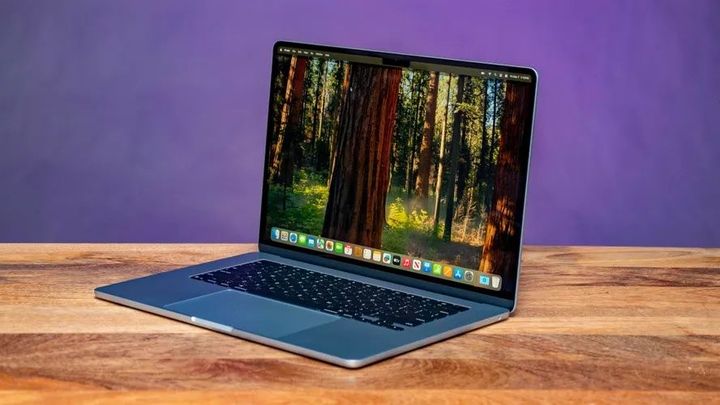
Ultrabooks focus on portability, lightweight construction, and long battery life. They are suitable for business professionals, students, and frequent travelers.
Business Laptops
Business laptops emphasize reliability, security features, comfortable keyboards, and durable designs for everyday professional use.
Creator Laptops
Content creators often require laptops with powerful processors, dedicated graphics, high-resolution displays, and larger memory capacity for video editing, graphic design, and 3D modeling.
Gaming Laptops
Gaming laptops include advanced graphics processors, fast displays, and high-performance cooling systems to support demanding games and creative workloads.
Convertible Laptops
Convertible or 2-in-1 devices can switch between laptop and tablet modes, providing flexibility for presentations, note-taking, and creative work.
Features to Compare
When evaluating laptops, several specifications deserve careful attention.
Consider the following:
- Processor performance
- Memory (RAM)
- Storage capacity
- Display size and resolution
- Graphics capabilities
- Battery life
- Build quality
- Keyboard comfort
- Connectivity options
- Wireless technology
- Webcam quality
- Security features
Comparing these features helps identify a laptop that aligns with your daily workflow.
Common Uses for Laptops
Laptops support a wide range of activities across different industries and lifestyles.
Students use them for online learning, assignments, research, and presentations. Business professionals depend on laptops for communication, document creation, data analysis, and virtual meetings.
Creative professionals use powerful laptops for graphic design, photography, animation, and video production. Engineers and developers rely on high-performance systems for programming, simulations, and technical applications.
Many households also use laptops for streaming media, web browsing, digital organization, and personal finance management.
Benefits of Modern Laptops
Modern laptops combine performance and portability in a compact design. Improvements in processors, solid-state storage, and battery technology allow users to work efficiently from almost anywhere.
Another advantage is improved connectivity. Faster wireless networking, cloud integration, and video conferencing capabilities support collaboration across different locations.
High-resolution displays, better audio systems, and enhanced webcams also improve learning, entertainment, and professional communication experiences.
Best Practices Before Choosing a Laptop
Before selecting a laptop, evaluate how it will be used on a daily basis.
Consider these points:
- Identify your primary activities.
- Choose suitable processing power.
- Select adequate memory and storage.
- Compare display quality and battery life.
- Review connectivity and expansion options.
Taking these steps helps narrow the available choices and identify the most suitable device.
Future Trends
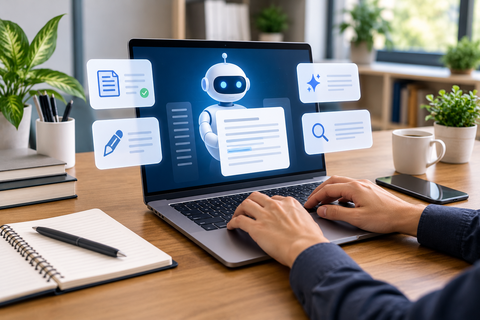
Laptop technology continues to advance through artificial intelligence, energy-efficient processors, improved battery performance, and faster wireless connectivity.
Manufacturers are also developing lighter designs, brighter displays, advanced security features, and dedicated AI processors capable of accelerating productivity applications. As cloud computing continues to expand, laptops are expected to become even more connected, efficient, and adaptable.
Frequently Asked Questions
What should I prioritize when choosing a laptop?
Focus on your intended use, processor performance, memory, storage, battery life, display quality, and portability rather than selecting specifications that exceed your actual requirements.
Which laptop is suitable for students?
Students generally benefit from lightweight laptops with reliable battery life, comfortable keyboards, and enough performance for research, presentations, and online learning.
Is RAM important?
Yes. Adequate memory improves multitasking, application responsiveness, and overall system performance, especially when running multiple programs simultaneously.
Why is SSD storage recommended?
Solid-state drives provide faster startup times, quicker file access, and smoother application performance compared with traditional hard drives.
How often should a laptop be replaced?
Replacement depends on performance needs, hardware condition, and software compatibility. Many users continue using a well-maintained laptop effectively for several years.
Conclusion
The best laptops combine performance, reliability, portability, and features that match individual requirements. Understanding processor options, memory, storage, display quality, and intended use makes comparing different models much easier.
By evaluating your daily tasks and focusing on the features that matter most, you can choose a laptop that delivers dependable performance for work, education, creativity, and entertainment both now and in the future.