Browser Isolation Overview: Explore Modern Cybersecurity Protection Techniques
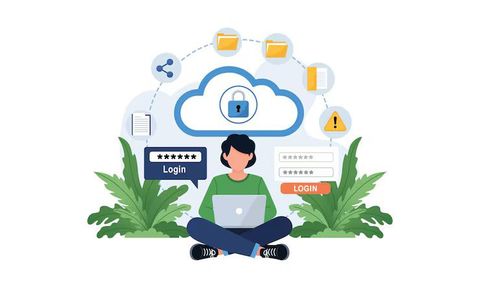
Browser isolation is a cybersecurity technique designed to separate web browsing activity from a user’s device or internal network. Instead of allowing websites and web code to run directly on a computer, browser isolation executes web sessions in a remote environment or secure container. The user only receives a safe visual stream or sanitized content, reducing exposure to malicious code, ransomware, phishing pages, and browser-based exploits.
As cyber threats continue evolving, browser isolation has gained attention among businesses, educational institutions, healthcare providers, government agencies, and remote work environments. Modern web applications rely heavily on browsers, making them a common entry point for attackers. Security researchers and enterprise technology reports increasingly identify browser-based attacks as a major risk area due to phishing campaigns, malicious advertisements, drive-by downloads, and credential theft.
Recent trends such as hybrid work models, cloud-based applications, and increased third-party web access have accelerated demand for stronger browser security strategies. Organizations are now evaluating browser isolation alongside technologies like Zero Trust security frameworks, secure web gateways, endpoint detection systems, and cloud access security brokers. Browser isolation is increasingly viewed not as a niche solution, but as part of a broader cybersecurity defense architecture.
Who It Affects and What Problems It Solves
Browser isolation affects a wide range of industries and user groups because nearly every digital workflow depends on web browsing. Employees accessing cloud platforms, students using online learning systems, healthcare staff reviewing digital records, and financial institutions processing sensitive transactions all rely on browsers as a primary access point.
Small businesses are also becoming targets for browser-based attacks due to limited cybersecurity resources. Meanwhile, enterprises managing thousands of endpoints face growing concerns related to unmanaged devices, contractor access, and remote workforce security. Public sector organizations and educational networks often adopt browser isolation to reduce exposure to phishing attacks and malware infections.
The technology addresses several major cybersecurity problems:
| Problem | How Browser Isolation Helps |
|---|---|
| Phishing attacks | Suspicious web content executes remotely instead of locally |
| Malware downloads | Malicious files are isolated away from endpoints |
| Zero-day browser exploits | Attack code cannot directly reach the user device |
| Unsafe third-party websites | Browsing sessions remain separated from internal networks |
| Ransomware delivery | Isolation reduces attack surface exposure |
| Credential theft risks | Some systems block unsafe scripts and suspicious login behavior |
| BYOD security concerns | Personal devices gain an added security layer |
One of the key benefits is risk reduction without fully restricting internet access. Traditional security methods often rely on blocking websites or filtering traffic. Browser isolation instead assumes websites may be unsafe and focuses on containing potential threats before they reach users or systems.
Recent Updates and Industry Trends
Over the past year, browser isolation technologies have continued evolving alongside broader cybersecurity trends. Several developments have shaped the market and adoption strategies.
Growth of Cloud-Based Isolation
Cloud-native browser isolation services have expanded significantly. Organizations increasingly prefer scalable cloud deployments over maintaining dedicated on-premises infrastructure. This shift supports distributed workforces and simplifies deployment across multiple locations.
Integration with Zero Trust Security Models
Zero Trust cybersecurity frameworks continue gaining traction globally. Browser isolation now frequently integrates with Zero Trust Network Access (ZTNA), identity management platforms, and secure access service edge (SASE) architectures. This integration helps organizations enforce stricter access policies while reducing trust assumptions.
AI-Driven Threat Detection
Some cybersecurity vendors have started combining browser isolation with AI-based threat intelligence and behavioral analysis. These systems monitor browsing behavior, detect suspicious activity patterns, and improve automated threat response capabilities.
Increased Regulatory Attention
Governments and regulatory bodies continue strengthening cybersecurity requirements for critical infrastructure sectors, financial services, and healthcare systems. Browser isolation has become part of broader discussions around secure remote access, ransomware defense, and endpoint protection strategies.
Enterprise Browser Security Expansion
Another growing trend is the rise of enterprise browsers with built-in security controls. Some organizations now combine enterprise browsers with isolation technologies to create more centralized visibility and policy enforcement across corporate browsing activity.
Browser Isolation Models Comparison
| Isolation Type | How It Works | Advantages | Limitations | Common Use Cases |
|---|---|---|---|---|
| Remote Browser Isolation (RBI) | Browser session runs on a remote server | Strong endpoint protection | May increase latency | Enterprise security |
| Container-Based Isolation | Browser executes inside a local container | Faster user experience | Local resource usage | Managed corporate devices |
| Disposable Browsers | Temporary isolated browsing sessions | Reduces persistent threats | Limited session continuity | High-risk browsing |
| Virtual Desktop Isolation | Entire desktop environment isolated | Broad application security | Higher infrastructure cost | Government and finance |
| Air-Gapped Browsing | Network separation for sensitive systems | Maximum isolation | Operational complexity | Critical infrastructure |
Key Operational Differences
| Feature | Traditional Browser Security | Browser Isolation |
|---|---|---|
| Threat Prevention Method | Detection and blocking | Separation and containment |
| Endpoint Exposure | Higher | Lower |
| Reliance on Signature Detection | Significant | Reduced |
| Zero-Day Protection | Limited | Stronger containment |
| User Internet Access | Often restricted | Usually maintained |
| Infrastructure Requirements | Lower | Moderate to high |
Laws, Regulations, and Policy Considerations
Cybersecurity regulations increasingly influence how organizations manage browser security risks and web access policies. Browser isolation itself is not usually mandated directly, but many security frameworks encourage layered protections that isolation technologies can support.
Data Protection Regulations
Privacy and data protection laws in many regions require organizations to implement reasonable cybersecurity safeguards for sensitive information. Browser isolation may help organizations reduce exposure to unauthorized access and malware-related data breaches.
Examples include:
- General Data Protection Regulation requirements for protecting personal data
- Health Insurance Portability and Accountability Act cybersecurity safeguards for healthcare information
- Payment Card Industry Data Security Standard web security requirements for payment systems
Government Cybersecurity Guidance
Cybersecurity agencies increasingly recommend layered defense strategies against phishing and ransomware attacks. Isolation technologies are often evaluated alongside:
- Endpoint detection and response systems
- Email filtering platforms
- Multi-factor authentication
- Network segmentation
- Secure web gateways
Practical Guidance for Organizations
| Organization Type | Recommended Isolation Strategy |
|---|---|
| Small businesses | Cloud-based browser isolation with minimal infrastructure |
| Remote workforce environments | RBI integrated with Zero Trust access |
| Healthcare systems | Isolation for unmanaged devices and external portals |
| Financial institutions | High-security browsing with stricter policy controls |
| Educational institutions | Isolation for student and public access networks |
| Government agencies | Segmented browsing environments for sensitive operations |
Organizations considering browser isolation should evaluate regulatory obligations, operational complexity, user experience impacts, and integration requirements before deployment.
Tools and Resources for Browser Isolation and Web Security
Several cybersecurity platforms and enterprise security providers offer browser isolation capabilities or related protection technologies.
| Tool or Resource | Primary Function |
|---|---|
| Cloudflare | Remote browser isolation and Zero Trust services |
| Microsoft | Application Guard and enterprise browser security |
| Palo Alto Networks | Secure access and threat prevention |
| Menlo Security | Cloud-delivered browser isolation |
| Cisco | Secure web access and cloud security |
| Broadcom | Enterprise web and endpoint protection |
| Enterprise browser management and web security tools |
Helpful Security Resources
| Resource Type | Purpose |
|---|---|
| Security awareness training | Reduces phishing susceptibility |
| Threat intelligence feeds | Tracks emerging browser threats |
| Vulnerability scanners | Identifies outdated browser software |
| Security policy templates | Standardizes browsing policies |
| Zero Trust frameworks | Supports secure access architecture |
| Browser management consoles | Centralizes browser configuration |
Organizations often combine browser isolation with employee education, patch management, and endpoint monitoring for more comprehensive protection.
Frequently Asked Questions
What is browser isolation in cybersecurity?
Browser isolation is a security method that separates web browsing activity from the local device. Websites and scripts execute in a remote or isolated environment, reducing the risk of malware infections and browser exploits.
How does remote browser isolation work?
Remote browser isolation runs browsing sessions on a secure external server or cloud platform. Users interact with a safe visual representation instead of directly loading web content onto their devices.
Is browser isolation better than antivirus software?
Browser isolation and antivirus tools serve different purposes. Antivirus software detects and removes threats, while browser isolation focuses on preventing threats from reaching endpoints in the first place. Many organizations use both together.
Which industries benefit most from browser isolation?
Industries handling sensitive data or high-risk web activity often benefit the most. These include healthcare, finance, education, government, legal services, and large enterprise environments.
Does browser isolation affect browsing speed?
Some browser isolation systems may introduce slight latency depending on infrastructure and network conditions. However, many modern cloud-based platforms aim to minimize performance impacts through optimized streaming and regional deployment models.
Conclusion
Browser isolation has emerged as an important cybersecurity strategy in response to increasing browser-based threats, remote work expansion, and evolving regulatory expectations. Rather than relying solely on detection-based security, isolation technologies focus on containing threats before they can affect users or systems.
Industry trends show growing adoption across enterprises, public sector organizations, and cloud-focused environments. Integration with Zero Trust security architectures, AI-driven threat detection, and secure access frameworks continues shaping the future of browser isolation technologies.
While browser isolation is not a universal solution for every cybersecurity challenge, research and enterprise adoption patterns suggest it can significantly reduce exposure to phishing attacks, malware delivery, and browser exploitation risks when implemented as part of a layered defense strategy.